
Lucid: Cinematic Camera Baker
Bake Level Sequence camera work into runtime-ready camera data. Play cinematic camera cuts through a lightweight Data Asset workflow without running Sequencer at runtime.
Camera-focused. Runtime-friendly. Designed for special attacks, interactions, set pieces, and gameplay-driven cinematic shots.
From Sequencer camera work to runtime camera playback.
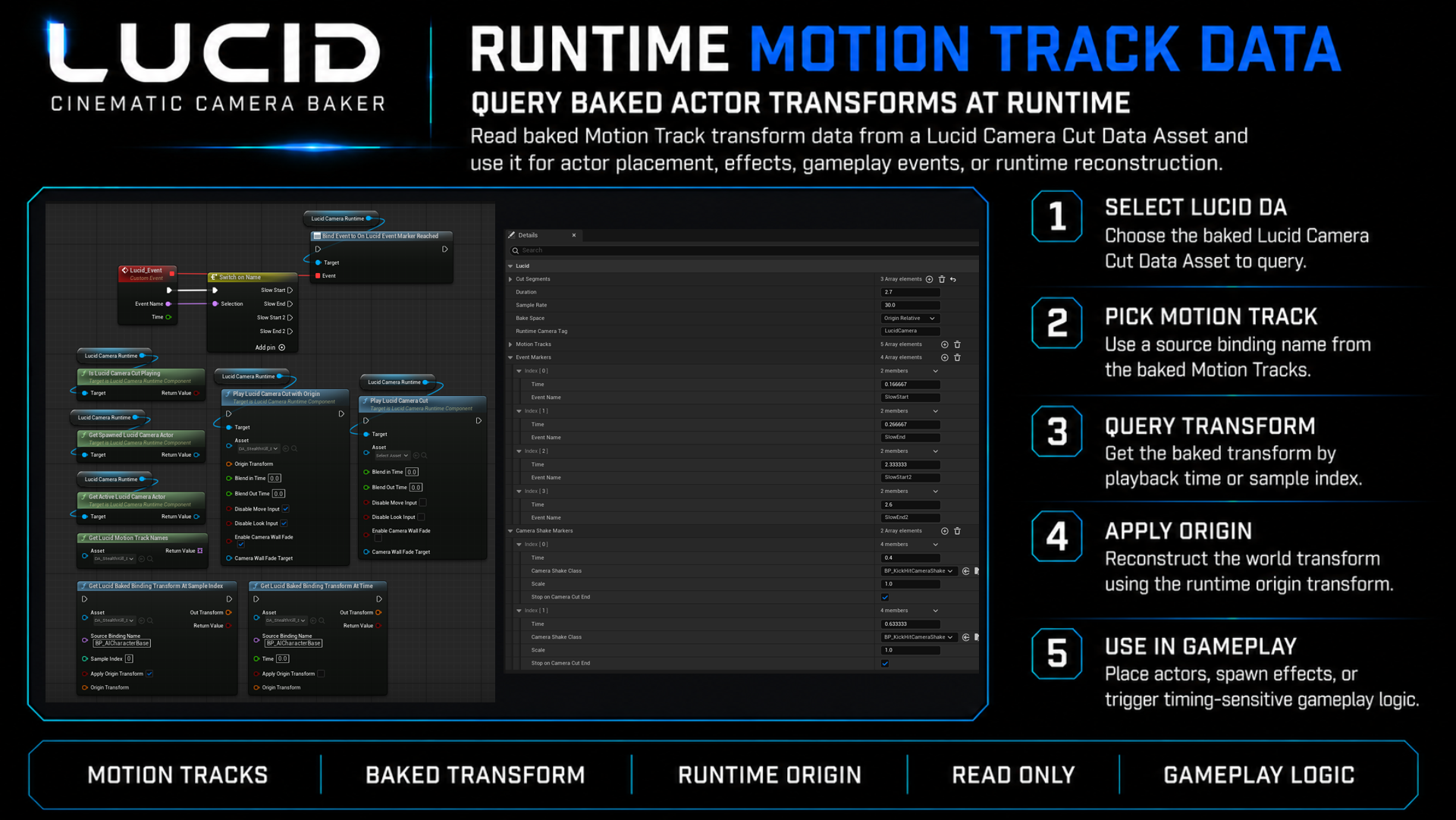
This short video shows the core Lucid workflow: bake, play, reuse, query Motion Track data, and keep camera visibility with CameraWall Fade.
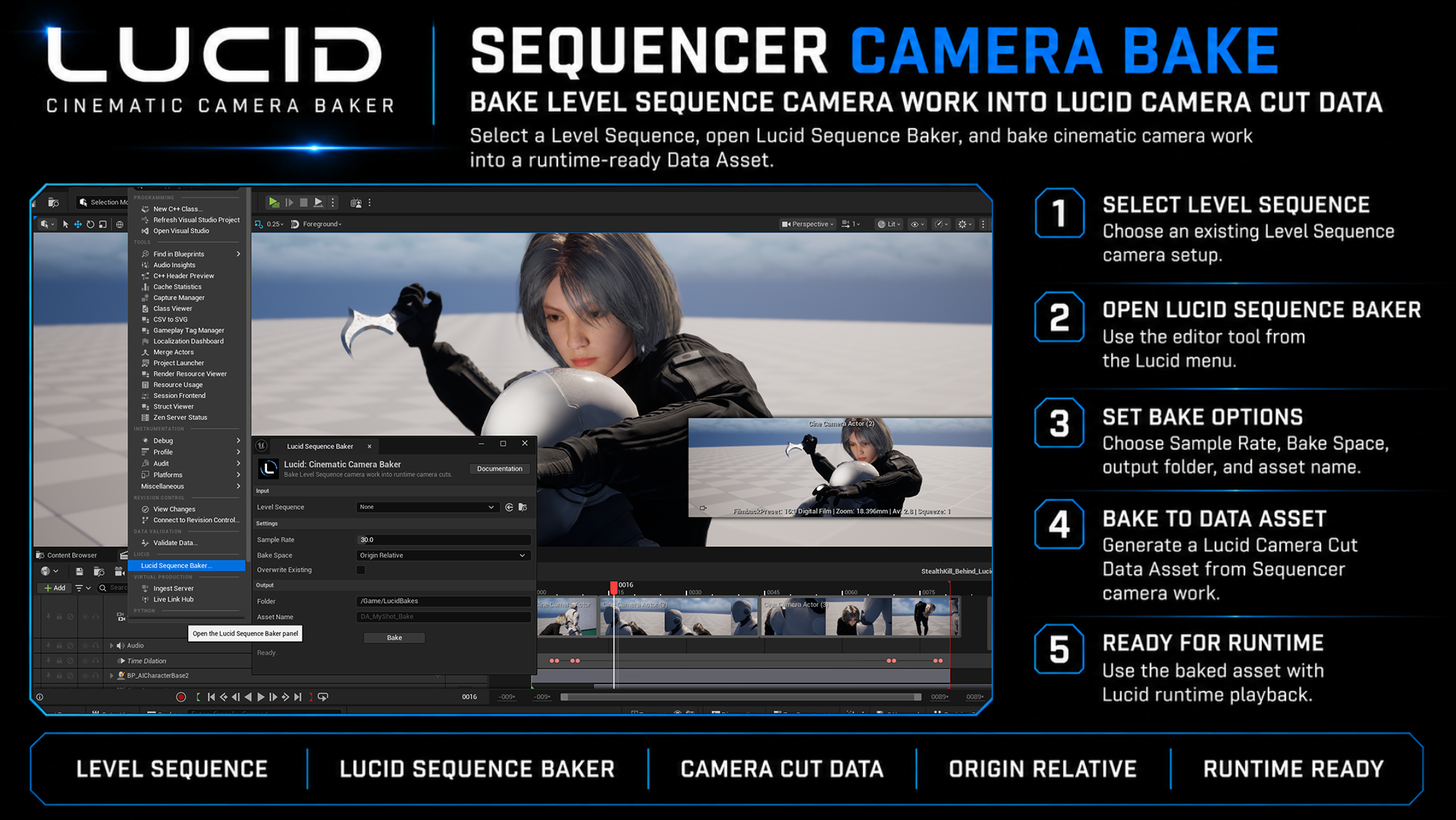
Level Sequence → Lucid Camera Cut Data Asset → Runtime Camera Playback
Author your camera work in Sequencer, bake it into a Lucid Data Asset, then play it back at runtime with Blueprint control.
1. Create in Sequencer
Use your existing Level Sequence camera workflow, including CineCamera lens and focus animation.
2. Bake with Lucid
Generate a LucidCameraCutAsset containing camera motion, cut timing, markers, lens/focus values, and Motion Track data.
3. Play at Runtime
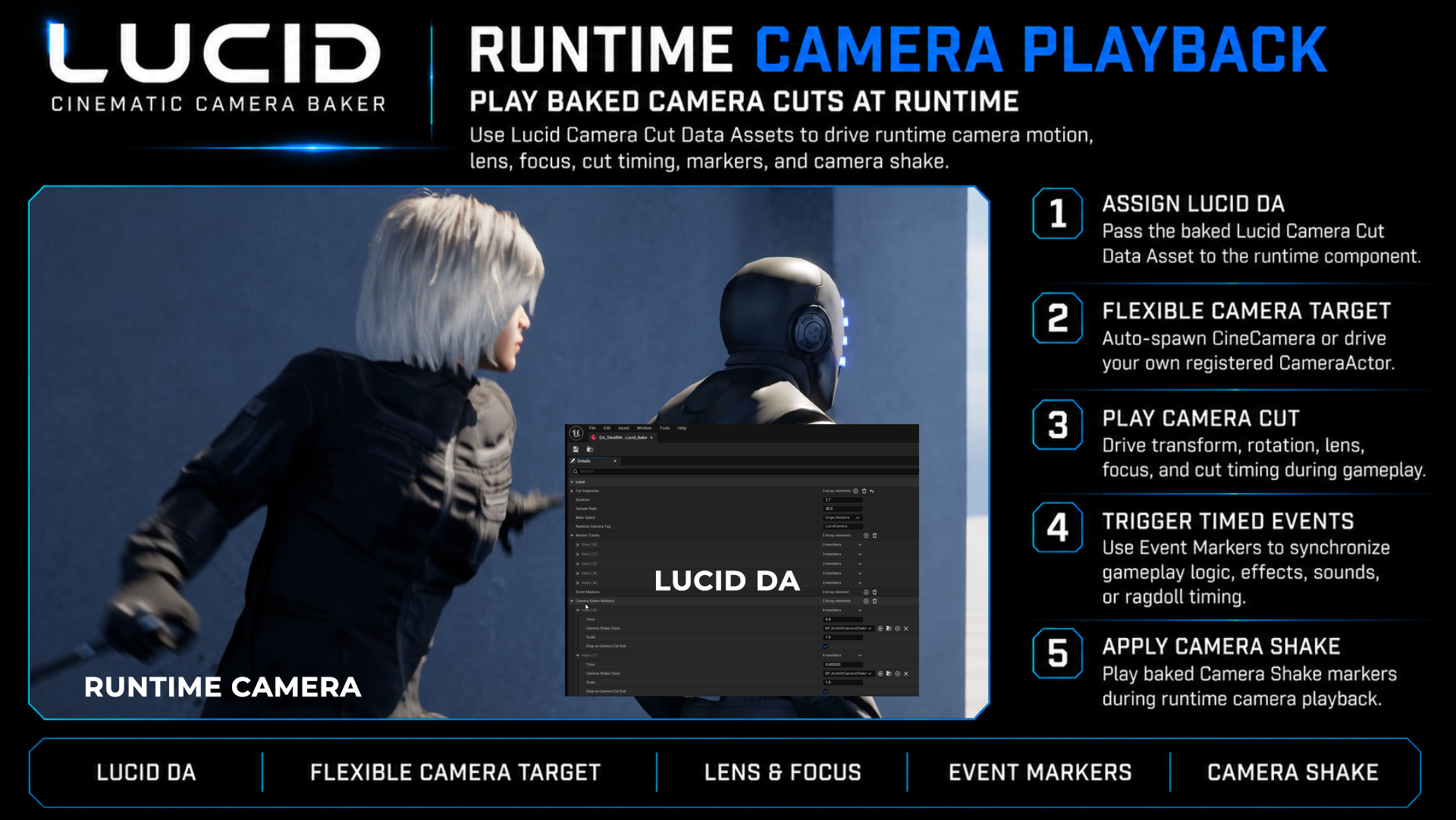
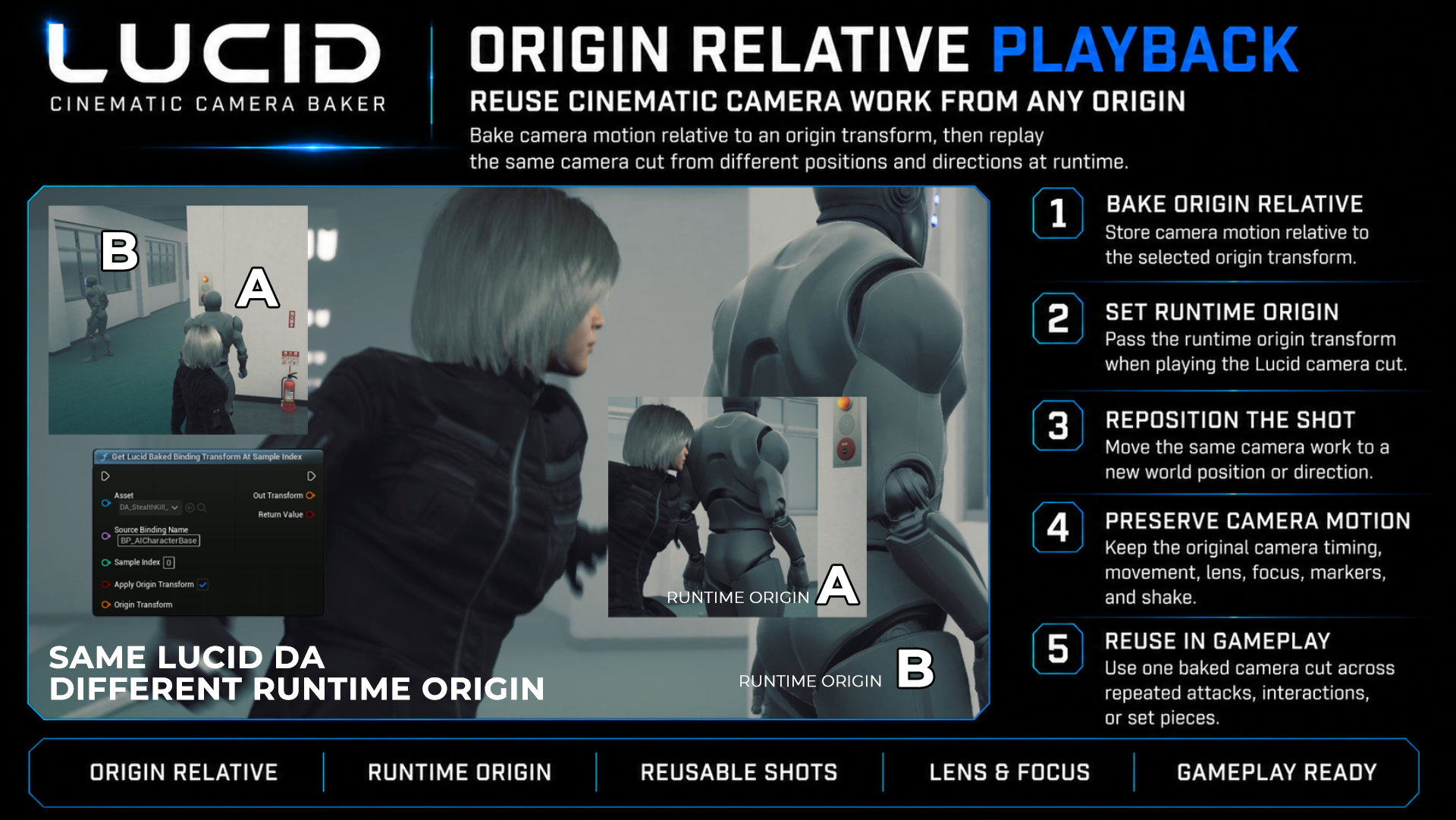
Pass the Data Asset to PlayLucidCameraCut or PlayLucidCameraCutWithOrigin and let Lucid drive the runtime camera.
Camera data that is easy to bake, reuse, and control.
Lucid stays focused on camera workflow while still exposing the data needed for runtime gameplay integration.
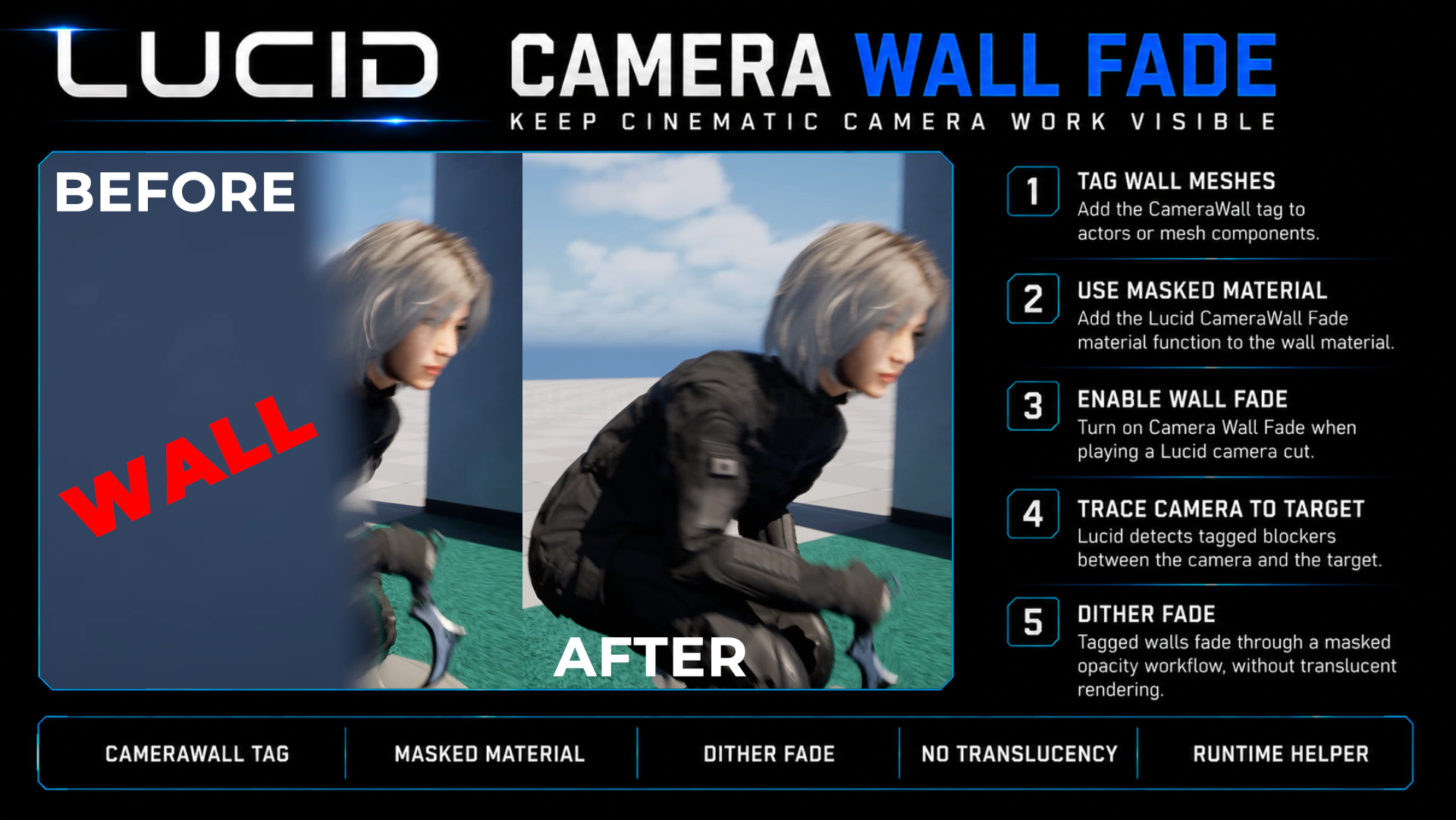
CameraWall Fade keeps the shot readable when geometry blocks the camera.
Tag wall meshes, use the included Masked + Dither Opacity Mask material setup, and let Lucid fade tagged blockers between the runtime camera and the target actor.
Camera-focused by design.
Lucid does not try to convert full Level Sequence actor animation, VFX, or gameplay logic automatically. It gives you runtime camera playback and the data hooks needed to rebuild gameplay timing safely in your own project logic.
CineCamera Lens & Focus
Runtime CineCamera playback uses Current Focal Length, Current Aperture, and Manual Focus Distance.
Runtime Events
Event Markers, Camera Shake Markers, and playback lifecycle events help synchronize gameplay behavior.
Motion Track Queries
Blueprint nodes can query baked source binding transforms for actor placement, effects, and runtime reconstruction.
Common Lucid Questions
Do I need Camera Cut Tracks?
No, but they are useful. If present, Lucid can generate Cut Segments automatically. If not, you can select baked source cameras and sample-based Start / End times manually.
Can I create multiple camera works from one Level Sequence?
Yes. Create multiple LucidCameraCutAsset files and adjust each asset's Cut Segments to build alternate camera flows from the same source sequence.
Why does Field of View not affect CineCamera playback?
Lucid uses CineCameraActor by default. CineCamera playback uses Current Focal Length, Current Aperture, and Manual Focus Distance. Field of View is only for standard CameraActor fallback.
Can Lucid help with actor or effect placement?
Yes. Lucid does not move actors automatically, but Blueprint nodes can query baked Motion Track transforms at a playback time or sample index, with optional runtime Origin Transform reconstruction.
Bake cinematic camera work. Play it as runtime camera data.
Use Sequencer for authoring, Lucid for runtime playback, and Blueprint for project-specific gameplay integration.